

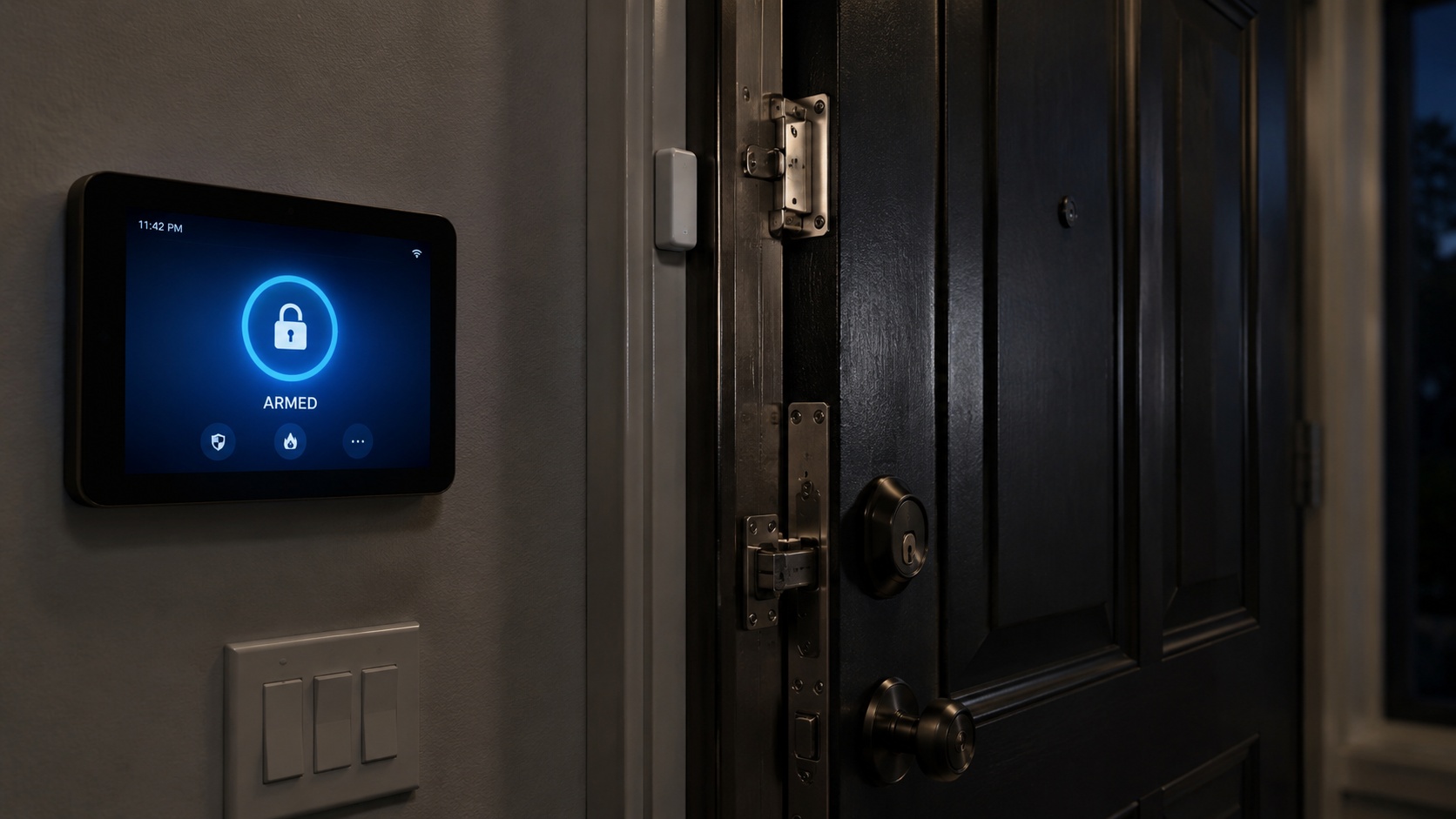
TL;DR: Cove is a DIY alarm system with mandatory professional monitoring starting at $22.99 a month, no long-term contract, and installation that takes under an hour with no tools. The hub runs on Ethernet with 4G cellular backup and a 24-hour battery, and sensors communicate by radio instead of Wi-Fi, which means the detection layer survives an internet outage intact. Cameras are the only components that need Wi-Fi. There is no self-monitoring option, so the hardware goes dead if you stop paying. Military, medical, teacher, government, and student discounts run an extra 5% off equipment through ID.me verification. Best for anyone who wants monitored detection plus a timestamped record of what happened in their house. Skip it if you want gear that works without a subscription.
Updated July 2026. Every figure below is date-stamped, because half the Cove reviews currently ranking are quoting 2024 numbers and calling them current.
An Alarm Does Not Stop Anybody. It Documents Everything.
A siren does not lock a door. A monitoring center in Utah cannot put itself between your family and a man already inside your house.
What Cove buys you is two things. Time, and a record.
Most reviews cover the first one and completely ignore the second. That is a mistake, especially on a site where a large share of readers are lawfully armed and have thought seriously about what happens after a defensive incident. The alarm log, the monitoring center call, and the timestamped entry event are the closest thing you will have to an impartial witness at 3 a.m.
More on that below, because it is the section nobody else writes.
The Short Verdict
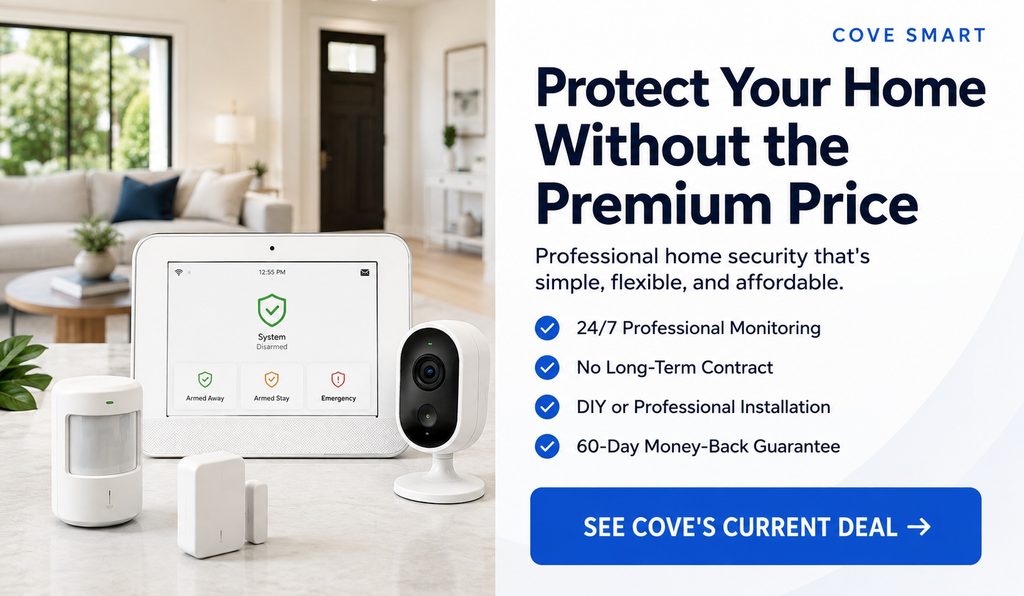
Cove is a competent, fairly priced detection layer from a company that does not run the contract games the legacy alarm industry built its reputation on. Sensors are solid. Support is genuinely good. Pricing is transparent.
The structural weakness is dependency. No self-monitoring tier exists, so the hardware you bought is inert the moment billing stops.
Buy it if you want monitored detection and an evidentiary record without an ADT-style contract. Skip it if owning your gear outright is the whole point.
Based on Cove’s published documentation, current third-party testing, verified owner reviews, and BBB records, all pulled July 2026. No firsthand testing of current hardware is claimed here.
Running PACE on Your Home Detection Plan
Anyone who has done real planning knows PACE. Primary, Alternate, Contingency, Emergency. You build redundancy into every critical function so that no single failure takes the whole system down.
Apply it to home detection and the picture gets clear fast.
Primary: monitored alarm over broadband. The hub reports to Cove over your Ethernet connection. Fastest path, full functionality, cameras streaming.
Alternate: cellular failover. Internet drops or the line gets cut, the hub switches to 4G automatically. Cove provides and manages that cellular subscription itself, separate from your personal phone plan, so there is no carrier compatibility problem to solve. Alarm reporting continues. Cameras go dark.
Contingency: local siren and your own eyes. If the monitoring path fails entirely, the siren still sounds and the panel still shows you which sensor tripped. That is degraded but not useless. You still get the one thing that matters most, which is knowing.
Emergency: you, your plan, and your phone. Everything upstream has failed. This is where your rehearsed response and your ability to dial 911 yourself carries the load.
Cove covers P and A properly, and that is more than most systems in this price bracket manage. Where it fails PACE badly is the billing layer. Every tier of that plan collapses if the subscription lapses, because there is no self-monitored fallback. One administrative failure takes out your entire detection capability.
That is the honest structural critique, and it applies whether the grid is up or down.
Hardening Comes Before Detection
Detection without delay means you get an excellent notification about something you cannot stop.
Most American homes ship with exterior door frames held together by three-quarter-inch screws driven into soft pine. A determined kick opens that in about three seconds. Your sensor fires, the siren goes off, and the entry point is already breached.
Spend here first:
- Three-inch screws through strike plates and hinges into the stud
- Solid core exterior doors
- Security film on ground-floor glass
- Reinforced strike plates or a full door frame kit
- Exterior lighting on every approach
- A bar or pin on sliding doors
Call it two hundred dollars and an afternoon. That buys more genuine delay than any monitoring plan sold.
Then layer detection on a hardened structure. Now the alarm is doing work, because the seconds it buys you are seconds someone is still fighting the door.
Cove at a Glance
| Category | Detail |
|---|---|
| Legal entity | Cove Smart, LLC |
| System type | Wireless DIY security system |
| Installation | DIY, professional install reportedly available |
| Monitoring | Required, no self-monitoring option |
| Plans | Basic, Plus, Premium |
| Monthly | $22.99 / $32.99 / $42.99 (Cove FAQ, May 2026) |
| Contract | Month-to-month; equipment financing separate |
| Monitoring centers | Six, across the US |
| Dispatch tech | RapidSOS integration |
| Trial | 60-day money-back guarantee |
| App | Cove Connect |
| Voice control | Alexa and Google Assistant |
| Z-Wave | No |
| Coverage | United States only |
| Based in | Draper, Utah (some profiles list Orem) |
| Generations | Current Cove Connect; legacy Cove Simple |
Pros and Cons
| In its favor | Against it |
|---|---|
| No long-term monitoring contract | No self-monitoring, period |
| Ethernet plus 4G cellular backup | Dead without an active subscription |
| Sensors run on radio, not your Wi-Fi | Cameras need 2.4 GHz Wi-Fi |
| 24-hour hub battery | No Z-Wave, no third-party gear |
| Six monitoring centers | Weak smart home integration |
| DIY install under an hour | Promo cycling obscures real pricing |
| 60-day money-back guarantee | Cancellation by phone only |
| Military and occupational discounts | Android app rated poorly |
| Environmental and medical alerts | US only |
What Is Actually in the System
Cove Connect, the current generation, splits across two devices.
The hub does the work. Ethernet into your router, 4G cellular backup, 24-hour battery. Cove supplies the cellular connection itself, so carrier coverage is Cove’s problem rather than yours, and the 60-day guarantee doubles as a practical way to test signal at your address.
The touchscreen panel is the interface. Arm, disarm, check status. The hub supports up to four panels, which matters on a larger footprint or a multi-story layout.
Here is the detail buried in most reviews: sensors talk to the hub over radio, not Wi-Fi. Door contacts, window sensors, motion detectors, glass-break detectors. None of them touch your home network. That is real engineering and it is why the detection layer survives an internet outage without degradation.
The lineup covers hub, touchscreen panel, indoor and outdoor cameras, burglary and intrusion sensors, environmental detectors, medical alert devices, and key fobs. Cameras are the only Wi-Fi-dependent components.
One generational warning. The older Cove Simple system and the Eufy cameras Cove used to bundle are not the same product line as current Cove Connect gear. Cove says it still supports the original system despite no longer selling it. Check which generation a setup guide describes before you trust it.
What Happens When the Alarm Trips
- Sensor detects, reports to the hub over radio
- Siren sounds, event transmits to Cove’s monitoring center
- Cove attempts contact through the panel, text, and phone
- You confirm or cancel
- Confirmed or unanswered, the center requests dispatch
Cove runs LiveAssist for two-way voice through the panel, InstaText for fast text verification, and RapidSOS to hand location and system data straight to emergency call centers. Six monitoring centers across the country give you redundancy if one facility goes down. Cove claims RapidSOS moves help up to four minutes faster.
Read that correctly. It describes time saved in the data handoff to the emergency call center. It is not four minutes off the drive to your house.
Two clocks are running and Cove only controls one. The alert clock, meaning how fast the company reaches you, runs in seconds. The response clock, meaning boots on your porch, belongs to your local agency and their call volume that night. Dense suburb, maybe four minutes. Rural county, understaffed, Saturday night? Forty is not unusual.
Find out what your actual local response time is before you build your plan around it. That number determines how much of the problem you are handling alone.
The Legal Angle Nobody Covers: Your Alarm as a Witness
This is the section that matters most to this audience and it appears in exactly none of the reviews currently ranking.
If you ever have to defend your home, the legal aftermath is a separate fight from the physical one, and you will fight it with whatever evidence exists. Castle doctrine and stand your ground laws differ enormously between states, but nearly all of them turn on the same core questions. Was entry forced? Did you reasonably believe you faced an imminent threat? Were you where you had a lawful right to be? Did you have a duty to retreat?
A monitored alarm system generates evidence bearing directly on the first question.
What the system documents:
- A timestamped record of which sensor tripped and exactly when
- Whether the system was armed, which speaks to whether entry was authorized
- The monitoring center’s independent log of the event
- Your call to the monitoring center or theirs to you, recorded
- The dispatch request and its timing
- Camera footage of the approach, if you have cameras and the internet held
That is a third-party corroborated timeline created before anyone knew it would matter. Prosecutors and plaintiff’s attorneys both find that difficult to argue with, and it is worth considerably more than your own recollection under stress.
Why this matters practically. The single most common way a lawful defender ends up convicted or sued into bankruptcy is a disputed narrative. Whether entry was forced. Whether the person was invited. Whether you had time to retreat. Whether the threat was real. An armed alarm that logged a forced entry at 3:14 a.m. and a monitoring center that dispatched police at 3:15 removes a large portion of that ambiguity.
What it does not do. It does not establish that your use of force was reasonable. It does not substitute for training, for knowing your state’s law, or for competent counsel. And it cuts both ways: if the log shows the system was disarmed, or shows a timeline inconsistent with what you told responding officers, that record works against you.
Which leads to the practical guidance. Arm the system at night, every night. An unarmed system logs nothing and proves nothing. Use individual user codes rather than one shared code, so the log shows who armed and disarmed and when. Do not disable sensors you find inconvenient, because a gap in coverage is a gap in your record.
And know your own state’s law cold before you need it. Castle doctrine, stand your ground, duty to retreat, and the civil immunity provisions attached to them vary so widely that general guidance is close to useless. Talk to a qualified attorney in your jurisdiction, get real training, and secure any defensive tool against unauthorized access. Nothing in this article is legal advice.
Grid-Down and Degraded Conditions
Power out. Hub carries a 24-hour battery. Alarm keeps running. Past 24 hours you are dark unless the hub is on backup power, which is a cheap fix and worth doing if you already have a solar generator or battery bank in the house.
Internet out. Automatic failover to 4G. Sensors keep reporting because they were never on your Wi-Fi. This is the strongest engineering argument for the system.
Lines cut. Same answer. Cellular backup is standard on every tier, not an upsell. Cutting service to the house does not blind the alarm, which defeats a known pre-entry tactic.
Cameras during any of that. Dead. Cove cameras need active 2.4 GHz Wi-Fi to push a feed. No internet, no video. You keep alarm reporting and lose eyes, and you also lose the camera portion of your evidentiary record exactly when you might want it most.
Put a small UPS on your router and modem. Thirty to sixty dollars extends function on everything downstream, cameras included. If you already run a solar generator for grid-down power, the hub and network gear should be on your priority load list.
The Subscription Problem
There is no Cove self-monitoring option. You cannot buy the equipment, skip the plan, and take sensor alerts on your phone. No tier does this.
Every sensor you mounted goes inert the moment billing stops. Declined card, billing dispute, price increase you refuse to absorb, company acquired and terms changed. Any of those and your perimeter goes quiet.
SimpliSafe, Ring, Abode, and Eufy all offer some version of hardware that keeps working without a subscription. Cove does not.
Whether that disqualifies it depends entirely on your reasoning. If you were always going to pay for professional monitoring because you want a dispatch center making the call and generating a record while you handle your end, it is a non-issue. If part of the appeal was owning your gear outright and cutting a dependency, this is the deal-breaker and no amount of good customer service fixes it.
Company Background
Cove traces its founding to 2017, launched service in 2018, and incorporated Cove Smart, LLC in Utah in March 2018. BBB accreditation came in January 2019. Jordan Harmon is a publicly identified co-founder. The company says its founders brought over 30 years of combined home security experience and built Cove specifically to strip out the aggressive sales tactics, hidden fees, and multi-year contracts that defined the legacy alarm industry.
Operating address in Cove’s legal terms is Draper, Utah, matching the BBB listing, though its LinkedIn profile lists Orem. Utah either way.
Product timeline: Cove Simple as the original system, a period bundling Eufy cameras, then the current Cove Connect hub and separate panel, with the three-tier monitoring structure and expanded first-party camera lineup arriving in 2026.
Young company by alarm industry standards. Not a red flag on its own, but relevant if you are planning a decade out.
What Cove Costs Per Month
Monitoring is the fixed and knowable part of Cove’s pricing, and as of the company’s May 2026 FAQ it runs $22.99 for Basic, $32.99 for Plus, and $42.99 for Premium, month to month with no service contract. Several review sites still quote a two-plan structure at $19.99 and $29.99, or $22.99 and $27.99, and both are stale. Basic covers professional monitoring, cellular backup, and alerts with no camera streaming. Plus adds camera access and cloud video storage, which is the tier that matters if you want footage as part of your record. Premium layers on AI-driven alerts, longer retention, and the best warranty terms. Against the field that puts Cove roughly level with SimpliSafe, well under ADT’s typical $45 to $60, and far under Vivint once equipment financing is folded in. The subscription is mandatory at every tier, and across any realistic ownership window it becomes the dominant cost rather than the hardware. Confirm current pricing directly with Cove before ordering, because the company restructured recently and may do it again.
| Plan | Monthly | Three-year monitoring |
|---|---|---|
| Basic | $22.99 | $827.64 |
| Plus | $32.99 | $1,187.64 |
| Premium | $42.99 | $1,547.64 |
Flat pricing assumed, tax excluded.
Why Nobody Can Quote You an Equipment Price
Cove sells hardware à la carte through a configurator. Answer questions about your home, get a recommended package, add and subtract from there. No fixed system price because there is no fixed system.
Layer on near-continuous promotions and the discounted price effectively becomes the real price. Any specific dollar figure in any review has a short shelf life.
Two consequences worth planning around.
Do not budget off a promo percentage. The sale that gets you in the door may not be running when a sensor dies in year three.
Financing is a separate obligation. Cove offers equipment financing through Affirm. No long-term monitoring contract does not mean no financial commitment. Cancel the service and any financed hardware balance is still owed. Two agreements, and the marketing only advertises one.
Planning Ranges by Footprint
| Build | Components | Equipment estimate | Three-year total (Basic) |
|---|---|---|---|
| Apartment | Hub, panel, 3-4 contacts, 1 motion | $150 to $250 | ~$980 to $1,080 |
| Small house | Hub, panel, 6-8 contacts, motion, glass-break | $250 to $400 | ~$1,080 to $1,230 |
| Multi-entry house | Hub, panel, 10-12 contacts, multiple motion, second siren | $400 to $600 | ~$1,230 to $1,430 |
| Full coverage | Above plus 2-3 cameras, smoke, CO, flood | $600 to $900 | ~$1,590 to $2,090 (Plus tier) |
Verify your actual build in checkout. The point of the ranges is showing where the money goes, and the answer never changes: monitoring outweighs hardware over any multi-year horizon.
Budget separately for replacement batteries across a dozen sensors, microSD cards for local recording, cloud storage on the upper tiers, tax, and professional installation if you want it.
Military and Occupational Discounts
Cove runs verified discount programs that almost no competing review bothers to mention.
Programs cover military, medical personnel, teachers, government employees, and students.
What you get:
- Extra 5% off equipment, stacked on whatever promotion is already running
- Cameras excluded from the discount
- One month of free professional monitoring, listed at a retail value up to $168
- The standard 60-day money-back guarantee, which everyone gets anyway
Verification runs through ID.me. Do that first, then build your system, and it applies before checkout. Retroactive application is a headache, so sequence it right.
Set expectations honestly. Five percent off equipment with cameras carved out is $20 on a $400 package. Useful, not decisive. The free monitoring month is the larger piece, though the stated $168 value does not map cleanly to one month at any published tier, so confirm what that credit actually covers.
The Equipment
Hub and Panel
Hub processes and communicates. Panel is the interface. The 24-hour battery and 4G backup are the most important resilience features in the system.
Panel placement is a tradeoff. Cove recommends somewhere quick to reach on entry and exit, which is convenient and also the first thing an intruder sees. The entry delay window exists so you can disarm without tripping, and it is simultaneously a window in which the panel can be attacked. The separate hub is what mitigates that. Put the brain somewhere non-obvious and treat the panel as a dumb terminal.
Door and Window Contacts
Adhesive, no drilling, running on radio. Open and closed reporting with optional chime alerts.
Cover in order: every ground-floor exterior door, then ground-floor windows, then the garage service door and basement access. Most people sensor the front door and stop. The patio slider and the garage side door are the soft entry points and they are the ones that get used.
Full perimeter coverage also matters for the evidentiary reason above. A gap in your sensor coverage is a gap in the timeline you may need later.
Motion and Glass-Break
Place a motion detector to cover the interior path anyone moving through the house has to cross. Usually the main hallway or stairwell. One sensor at the choke point beats three placed badly.
Pets complicate it. Check immunity ratings against your animal’s weight and expect to tune sensitivity. Chronic false alarms lead to a disarmed system, and a disarmed system protects nothing and documents nothing.
Glass-break detectors cover a room acoustically, making them the efficient play for rooms with many windows or large panes.
Environmental and Medical
Smoke, carbon monoxide, and water leak sensors. Confirm which get professional monitoring on your tier.
Add them. Fire and water damage are statistically far more likely to hit you than a break-in, and monitored smoke detection means dispatch happens whether or not anyone is home to hear it.
Cove also sells medical alert devices, worth knowing if you have an older parent under your roof.
Key Fob, Panic Button, Secondary Siren
The panic button is underrated. Bedside, it summons help without you fumbling a phone in the dark, and it timestamps the moment you decided you were in danger. That second part has evidentiary value.
Secondary siren earns its keep in a larger footprint where one siren will not carry.
Cameras and Video
Indoor camera. Pan and tilt, person tracking, two-way talk, night vision, local storage support, mains powered.
Solar outdoor camera. 2K, solar charging, weather resistant, configurable detection zones, person detection. Battery and charging complaints show up regularly on mounts that do not catch strong direct sun. Shaded install means charging it by hand.
Doorbell camera. Covers the primary approach with package and person detection and two-way talk.
Aim outdoor cameras at approach paths, not at the door. You want lead time on someone coming up the driveway, not a chin at the moment of arrival. Approach footage is also far more useful evidence than a doorframe close-up, since it shows behavior and intent rather than just presence.
And remember cameras are the only Wi-Fi-dependent part of this system. Everything else keeps working when the internet does not.
Current Cove Cameras Versus Legacy Eufy
Cove used to bundle Eufy cameras running through the Eufy app. Current Cove cameras are first-party and run through Cove Connect. Instructions written for the Eufy era do not apply to current hardware, which trips people up constantly during troubleshooting.
Installation
- Complete Cove’s questionnaire and customize the package
- Receive equipment pre-paired and labeled by location
- Connect the hub to power and to your router
- Wait for the indicator light confirming connectivity
- Connect and position the touchscreen panel
- Follow the on-screen guide to name and place each sensor
- Mount with the included adhesive strips
- Connect cameras to 2.4 GHz Wi-Fi
- Put the system in test mode, then walk-test every sensor and comms path
Under an hour for a typical package. No tools, no drilling, all adhesive, which works for renters and anyone who does not want holes in the trim.
Step nine is the one everybody skips. Test mode first, or you generate a false alarm, an unnecessary dispatch, and in a lot of municipalities a fine. Then actually walk the perimeter and trip each sensor.
Name your sensors accurately during setup. “Kitchen slider” beats “Sensor 7” when you are reading a log under pressure or handing it to an attorney.
Camera setup is the rough patch, especially on routers merging both bands under one network name. If a camera will not join, temporarily splitting the bands usually clears it.
Daily Operation
The Cove app handles arming, disarming, notifications, sensor status, camera access, video history, and user management.
App quality is contested and the platform gap is stark. As of July 30, 2026, Cove Connect showed roughly 4.4 stars on the Apple App Store against roughly 2.6 on Google Play. Factor that in if you run Android.
The current Cove Connect app is distinct from the legacy Cove Security app. Reviews of the old one describe a different product.
Arming Modes
Away arms everything. Stay arms the perimeter while allowing interior movement. Night is the mode most people underuse and the one that matters most, because it arms your perimeter while you sleep, which is exactly when a home invasion is most likely and when your reaction time is worst.
Set entry delay as short as you can tolerate. Every second you configure is a second of head start you hand over.
Issue individual user codes instead of sharing one. Costs nothing, and it turns your arm and disarm log into an actual record of who did what and when.
Smart Home and Cybersecurity
| Platform | Supported |
|---|---|
| Amazon Alexa | Yes |
| Google Assistant | Yes |
| Apple Home | No |
| Z-Wave | No |
| Smart locks | Limited |
| Third-party cameras | No |
| Existing alarm sensors | No |
Cove publishes setup docs for both Alexa and Google Assistant, correcting an outdated claim still sitting on at least one major review site. But voice control is not automation. If you want alarm state driving lights and locks, wrong platform.
If you enable voice disarming, confirm it requires a PIN. A system that disarms to a command shouted through a window is a vulnerability you built yourself.
Every connected device is an attack surface and anyone claiming otherwise is selling something. Before buying, confirm encryption in transit and at rest, multifactor authentication availability, update cadence, account recovery procedure, what the app collects, data sharing practices, and what happens to stored cloud video after cancellation. That last one matters doubly here: if your footage has evidentiary value, you need to know how long Cove keeps it and how you request a copy.
What Owners Report
The Positive Pattern
Customer service dominates the positive reviews, and specifically individual representatives. A striking share of recent five-star reviews name the person who helped them, describe being heard out instead of read a script, and mention resolution on the first call. That is unusual in this industry and it is the most consistent thing working in Cove’s favor.
Beyond support: easy sensor installation, low entry cost on promotions, fast alarm communication, well-liked touchscreen.
The Complaint Pattern
Camera connection and charging problems, especially the solar outdoor unit. Occasional sensor and panel failures. Android app reliability. Troubleshooting difficulty. Billing disputes. Cancellation requiring a phone call. Confusion between legacy and current gear. And frustration from owners who did not understand the system stops working without an active plan.
One Thing to Watch in the Ratings
Cove’s overall Trustpilot score sits around 4.3 out of 5 across more than 8,400 reviews. The BBB shows a B rating with roughly 226 complaints. The app splits hard between iOS and Android.
Here is the detail worth knowing. The review widget on Cove’s own website displays approximately 4.6, higher than the actual Trustpilot score, because that widget is filtered to show only 4 and 5 star reviews. The filter is labeled, so it is not deceptive on its face. But if you compared Cove’s site against Trustpilot and wondered why the numbers disagreed, that is your answer.
Cove also actively solicits reviews, which inflates volume and pushes scores up on any platform.
Three separate evidence sets measuring three different things. Read them apart.
Returns, Warranty, and Getting Out
The 60-day money-back guarantee is long enough to actually live with the system and to verify cellular coverage at your address.
Equipment returns in acceptable condition, return authorization required, shipping responsibility and refund timing to be confirmed against current policy. Warranty terms differ by tier, with upper plans carrying materially better coverage.
Cancellation requires a phone call. No online option as of July 2026. Expect a retention pitch.
After cancellation the system stops functioning as a monitored alarm and any financed equipment balance remains owed.
Is Cove a Legitimate Company and System?
Cove is a real operation, not a drop-shipper with a landing page. Utah incorporated, BBB accredited since 2019, running UL-listed monitoring across six centers with a large verified owner base. The core product does the primary job well, detecting intrusion at entry points and getting a monitoring center on the phone fast while generating a documented record of the event. Where the company genuinely differentiates is in removing the practices that made legacy alarm companies miserable to deal with: no multi-year lock-in, no escalating rate, no salesman in your living room, and pricing you can read without calling for a quote. The customer service record shows up consistently enough in owner reviews to be more than marketing. Where it earns criticism is the total absence of self-monitoring, thin smart home support, camera reliability, and Android app quality. A B rating with a few hundred complaints against a customer base that size is unremarkable for this industry rather than a warning sign. Straight answer: a competent, fairly priced, narrowly scoped alarm from a company that behaves decently, carrying one structural dependency you should accept knowingly rather than discover in year two.
Cove Versus ADT
ADT typically runs $45 to $60 a month or higher with professional installation and often a multi-year agreement, roughly double Cove’s entry tier, and the honest question is what the premium delivers. It buys hands-on service, a technician who shows up and can fix something, a broader catalog for large or unusual properties, deeper integration, and the operational weight of a company more than a century old. What it does not buy is faster dispatch. Both route through professional monitoring centers with cellular backup, and for a standard residential intrusion alarm the difference in how quickly police start rolling is negligible. Both generate the same kind of documented event record. If you have acreage, outbuildings, a complicated layout, or you want maintenance to be somebody else’s problem, ADT earns the money. For a normal house where the mission is covering entry points, getting dispatch moving, and having a timeline on record, you are paying ADT a heavy premium for service and brand rather than security outcomes. Cove does the operationally decisive part for about half.
Cove Versus SimpliSafe
Closest comparison and a genuinely close call. Both are DIY systems with adhesive sensors, cellular backup, contract-free professional monitoring, and comparable monthly pricing. The decisive difference is dependency. SimpliSafe offers real self-monitoring, so the hardware keeps functioning and still pushes alerts without a subscription, and it carries broader smart home integration, a bigger accessory catalog, and a longer independent testing record. Cove counters with a better touchscreen panel, hub support for up to four control points, radio-based sensors that stay off your network entirely, frequently lower entry cost on promotions, and stronger warranty terms on the upper tiers. Decision rule: if you were always going to pay for professional monitoring and you want the documented monitoring-center record that comes with it, Cove is a solid choice and often cheaper. If you want the option of owning your equipment outright and running it yourself, SimpliSafe is the more flexible system and the better default for anyone building toward fewer dependencies.
Cove Versus Vivint
Not really competing for the same buyer. Vivint is professionally installed, sales-driven, automation-heavy, typically landing between $50 and $100 monthly once equipment financing is included, with a genuinely strong ecosystem covering locks, thermostats, garage control, and integrated camera analytics. Cove is a self-installed alarm at a fraction of that with deliberately narrow scope. If you want a fully integrated smart home where security is one function among many, and you are fine with a longer financial commitment and a sales appointment, Vivint delivers something Cove does not attempt. If you want intrusion detection with a monitoring center behind it, Vivint is an expensive route, and its financing arrangements have generated persistent complaints about how hard the company is to leave. For detecting a break-in, getting help dispatched, and documenting the event, Cove does it for far less money and far less entanglement.
The Field
| Provider | Best for | Self-monitoring | Install | Smart home | Main drawback |
|---|---|---|---|---|---|
| Cove | Affordable monitored alarm | No | DIY or optional pro | Limited | Subscription mandatory |
| SimpliSafe | Flexible DIY security | Yes | DIY or pro | Moderate | Advanced monitoring costs more |
| Ring | Camera-first Alexa homes | Yes | DIY | Strong Alexa | Privacy concerns, camera-centric |
| ADT | Full-service traditional | Limited | Professional | Broad | Cost, possible contracts |
| Vivint | Advanced automation | No | Professional | Strong | Expensive, financing complexity |
Who Should Run Cove
Run it if you want monitored detection without a contract, you value the documented event record, you are covering a normal residential footprint, you rent and need adhesive mounting, and you accept the subscription as a permanent line item.
Skip it if you want hardware that works without paying, you need local video that survives an outage, you want the alarm integrated with anything else, or you object on principle to being tethered to a vendor’s billing.
The Response Plan
Equipment anticipates. People mitigate. The alarm buys you a window, and what happens inside it comes down to decisions already made.
Set your fallback position. One room, solid core door, charged phone, second exit if the layout allows. Everyone consolidates there.
Do not clear your own house. Moving through a structure against an unknown number of people is a trained team task done with backup and equipment. Alone, half awake, in the dark, you give up every advantage. Hold your position.
Call 911 yourself, from behind the door. Do not rely solely on the monitoring center. Address first, then the situation, then a description of everyone in the room with you. Stay on the line. Responding officers are entering a building with unknown occupants and need to know who belongs there. That call is also part of your record.
Rehearse it at night. A plan discussed at the kitchen table is not a plan.
Know your law before you need it. Castle doctrine, stand your ground, duty to retreat, and civil immunity provisions vary enormously by state and they determine your exposure after the fact. Get training, secure your tools, and talk to a qualified attorney in your jurisdiction. None of this is legal advice.
Is It Worth It?
Monitored intrusion detection: yes. Good value, no-contract structure is real.
Documented event record: yes, and this is underrated. The monitoring center log is third-party corroboration you cannot generate yourself.
Camera coverage: no. Buy a dedicated system with local recording.
Automation: no. Abode or Ring, or Vivint if the budget is there.
Renters: yes. Adhesive sensors and portability make it one of the better options.
Rural or large property: marginal. Four panels help, but check your local response time first, because that number changes the whole calculation.
Lowest long-term cost: no. SimpliSafe with self-monitoring costs less over five years.
Final Action Review
Cove is a competent detection layer at a fair price from a company that does not run the contract games the legacy industry is known for. The engineering is smarter than the price suggests, particularly the radio sensors and the cellular failover, and the monitoring-center record it generates has value most reviews never mention.
It is one component of a defense posture. It is not the posture.
Harden your entry points before you buy a single sensor. Run PACE on your detection plan and know where it breaks. Arm the system every night, because an unarmed system protects nothing and documents nothing. Understand that the cameras go blind when your internet drops and the whole system goes quiet when the billing does.
Then build the human layer on top, because the fallback position, the 911 call, the training, and knowing your state’s law cold are what decide how this ends both in the hallway and in the courtroom afterward.
Tactical Equipment Armory

Tactical Gear Armory is a group of tactical gear geeks! We specialize in everything from martial arts to AR-15's and other firearms.